Joining an Organization
In NuNet's ontology, an organization is a governance entity with its own DID (Decentralized Identifier) and Device Management Service (DMS) context.
Before You Join
Understanding Your Role
When joining an organization, you'll need to understand the different roles available in the NuNet network. Your role determines what you can do and what resources you'll need.
Compute Provider
Compute Providers offer their device's computing resources to the network. They receive workloads (allocations) and execute them on behalf of consumers. Requires 8GB+ RAM and 100GB+ storage.
For detailed information, see Compute Provider.
Compute Consumer
Compute Consumers request and schedule workloads on devices made available by Compute Providers. They deploy applications and services across the network. Requires 4GB+ RAM and 20GB+ storage.
For detailed information, see Compute Consumer.
Hybrid Contributor
Hybrid Contributors both provide compute resources and consume compute from the network. They can switch between roles as needed. Requires 8GB+ RAM (16GB recommended) and 100GB+ storage.
For detailed information, see Hybrid Contributor.
Update the Organizations List
Before onboarding, select the organisations section on the NuNet appliance navigation. Hit the Fetch Known Orgs button to refresh the list of organizations. This ensures you see the most up-to-date options to join.
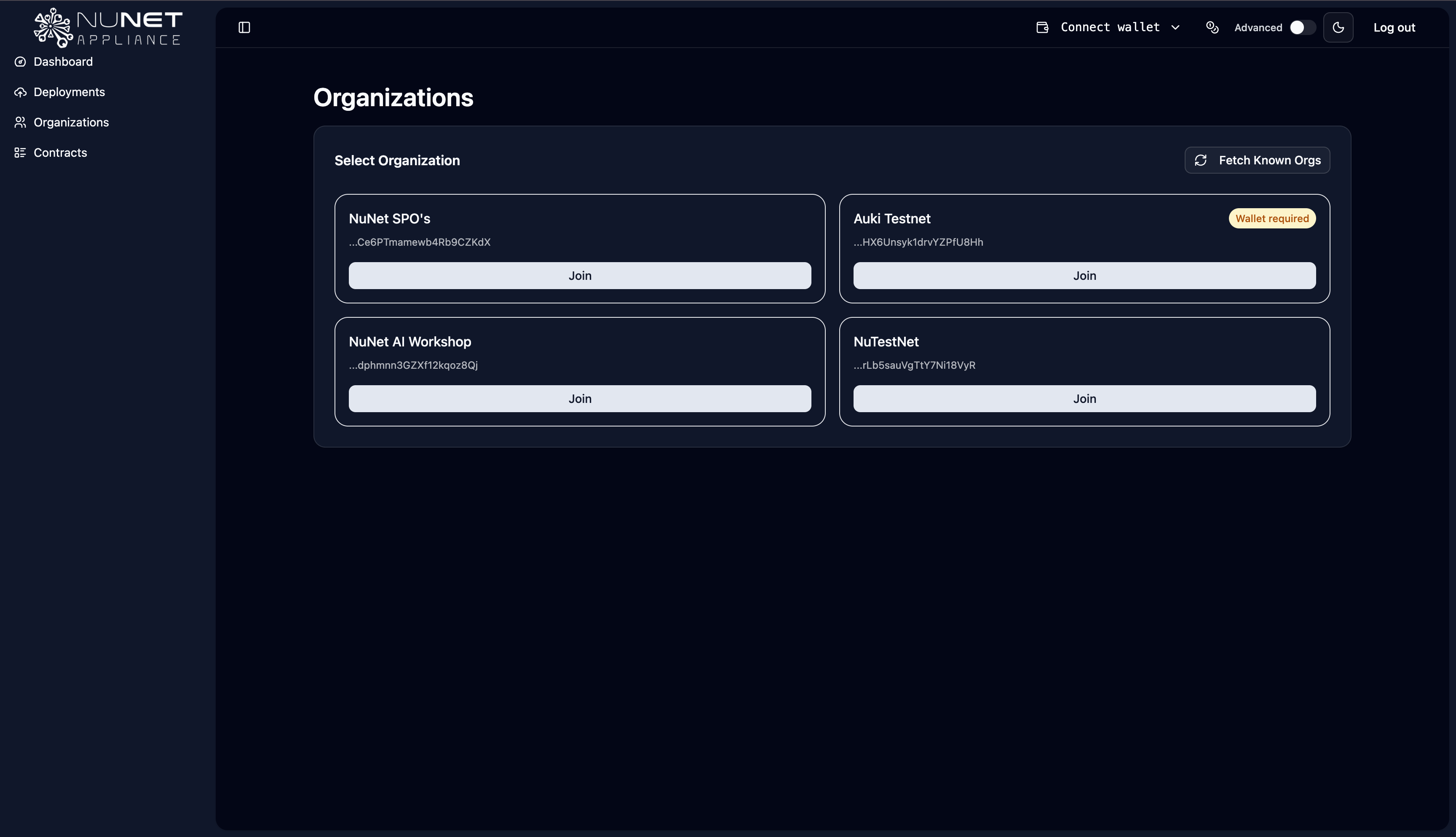
Choosing an Organization
Depending on the organizations available, you may see many or few public options. Choose the one that aligns with your intended role:
- Public Organizations: Open to anyone, often with minimal verification requirements, for example, NuNet AI Workshop
- Private Organizations: May require invitation or manual approval, for example, Cardano SPOs
- Specialized Organizations: Focus on specific workloads, use cases, or communities, for example, Auki
Each organization may have different:
- Onboarding requirements (email verification, manual approval, etc.)
- Available roles and capabilities
- Ensembles and datasets
- Collaboration options
Joining Process
-
Select an Organization
- From the organizations list, choose the organization you want to join
- Review any requirements or information displayed about the organization
-
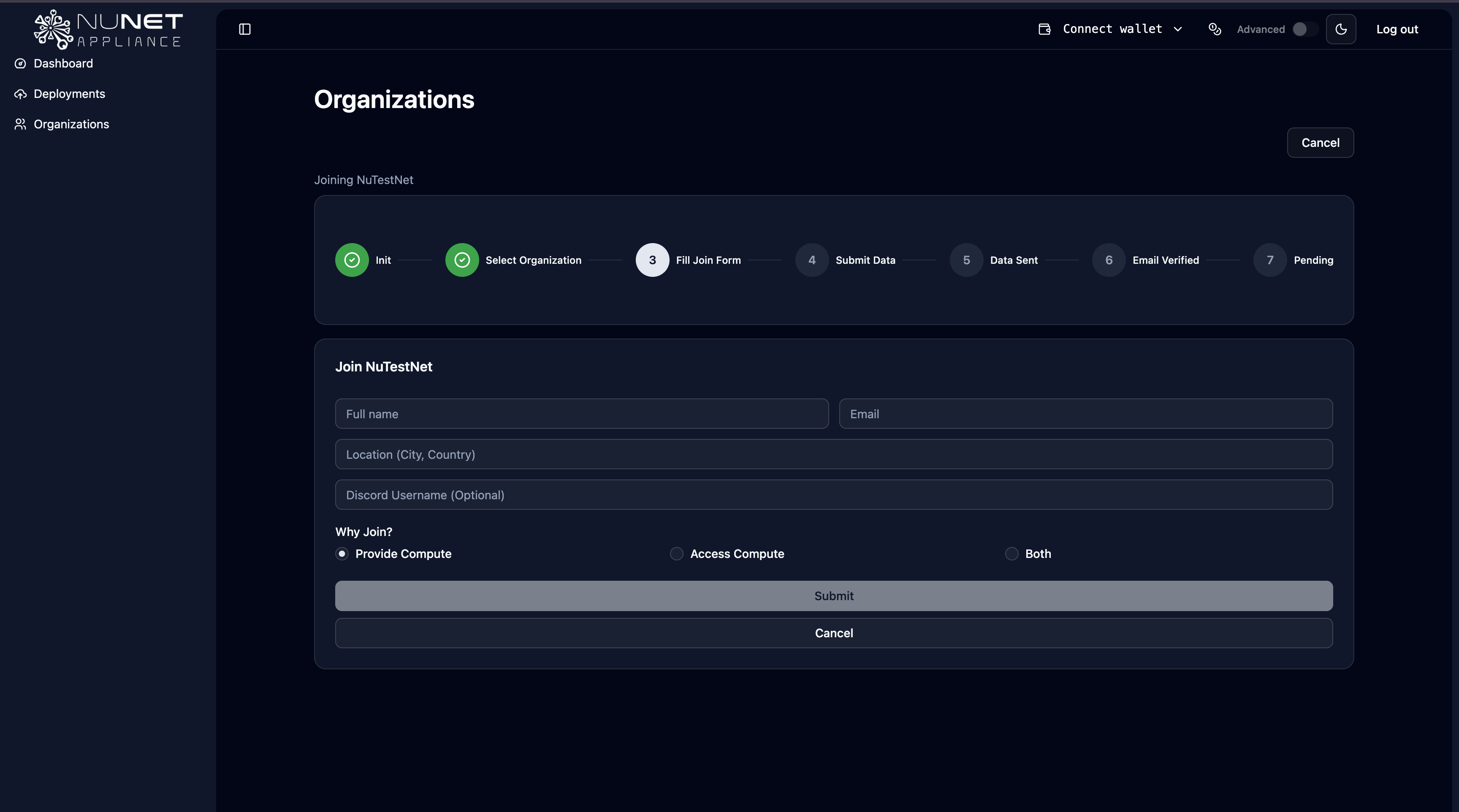
Complete the Onboarding Form
- Fill out the form with the required information
- Most organizations require email verification—use a valid address so you can confirm your membership
- Some organizations include additional manual checks; each organization's admins define their process
-
Verify Your Email
- Check your email inbox for a verification message from the organization
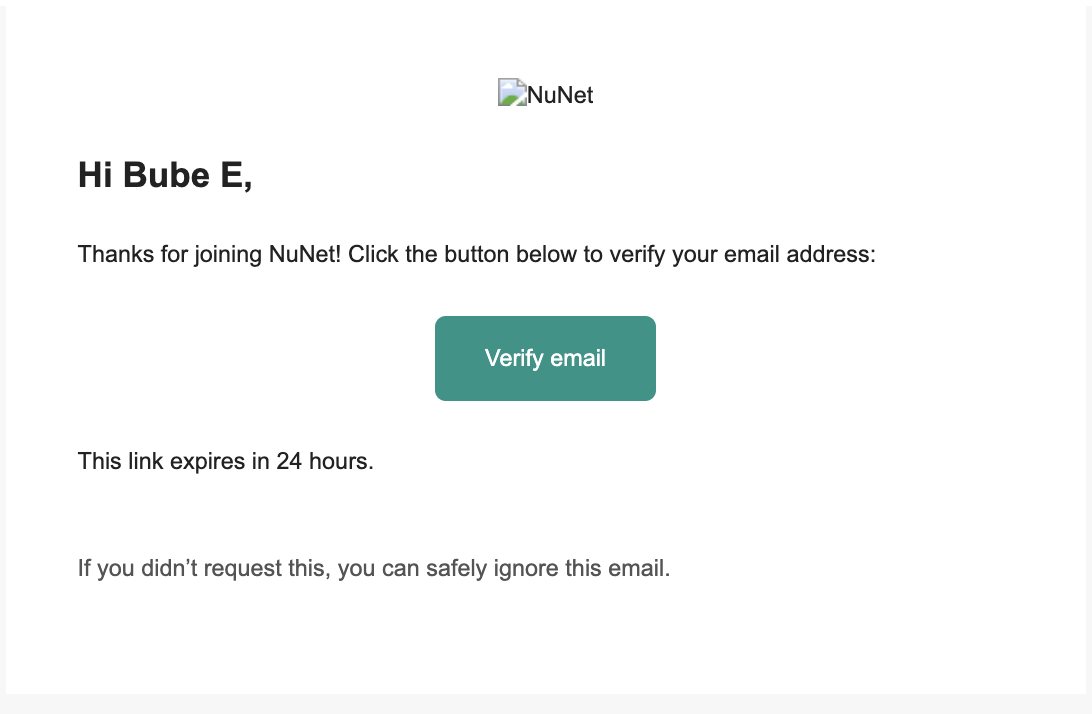
- Click the verification link to confirm your membership. The verification link expires in 24 hours. Be sure to verify your email within the timeframe.
- Return to the appliance dashboard to complete the process
- Check your email inbox for a verification message from the organization
-
Wait for Approval (if required)
- Some organizations require manual approval by administrators
- You'll be notified once your membership is approved
-
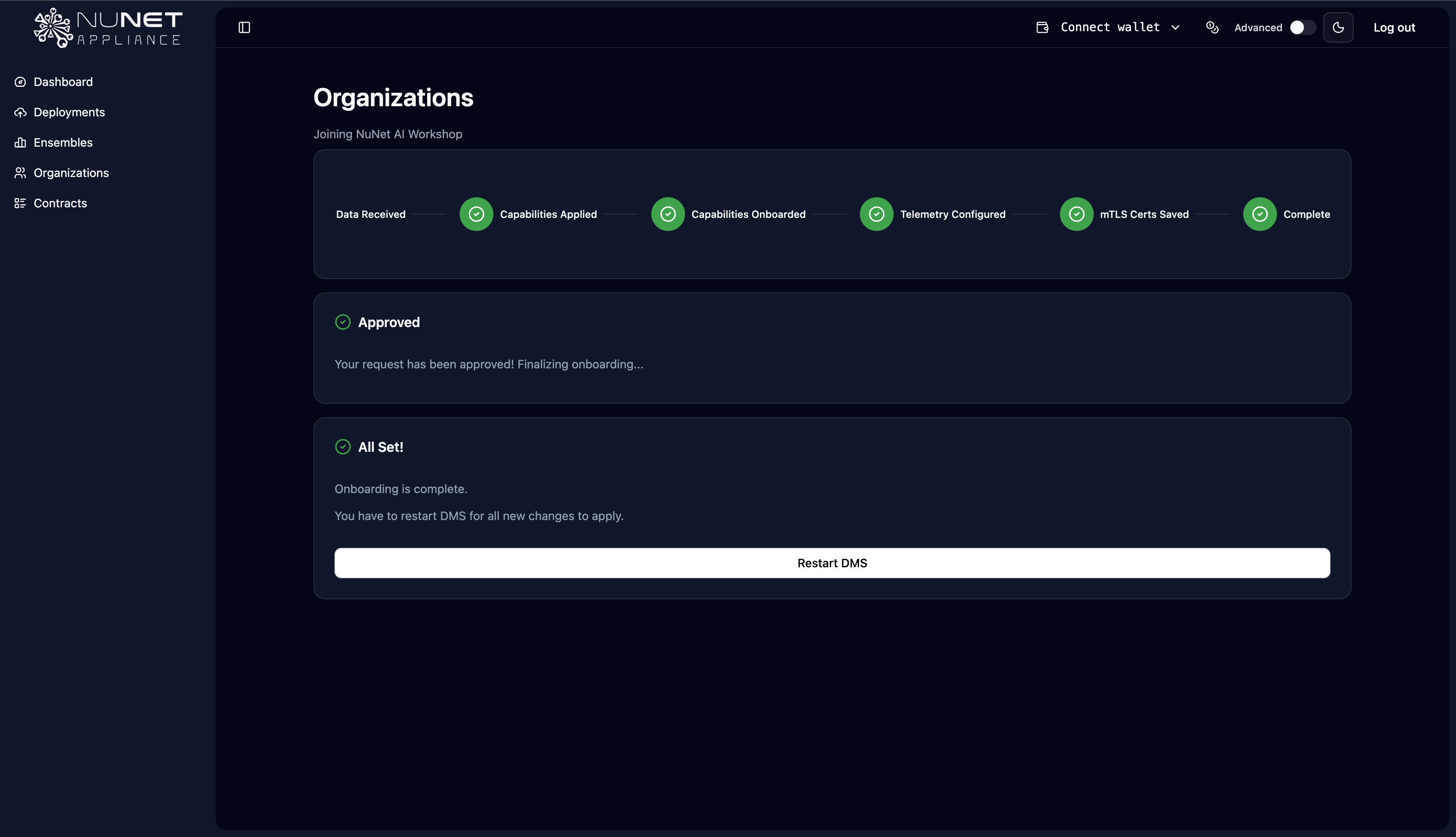
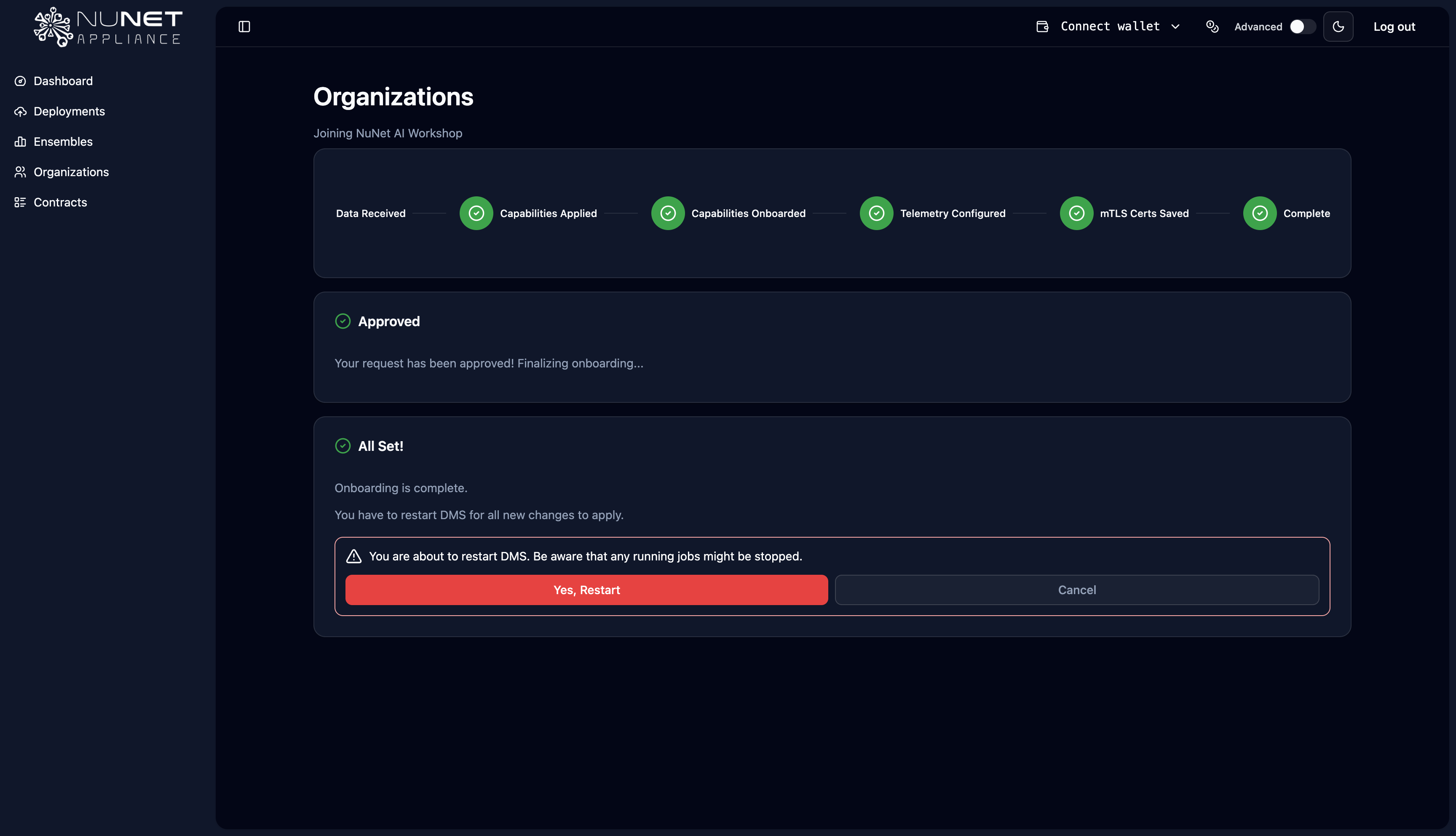
Restart DMS As a final step, you will need to restart DMS when prompted. This allows you appliance to have the same settings
 |  |
After Joining
Once you've successfully joined an organization, you'll have access to:
- The roles and capabilities granted by that organization
- Available ensembles and datasets
- Collaboration options within the organization's network
- The ability to provide compute, access compute, or both (depending on your granted permissions)
Note: If you need to leave an organization, see Leaving an Organization in the Troubleshooting section.
Video Resources
For a visual walkthrough of joining an organization, watch this tutorial: